
 Earth Vivid
Warm, earthy colours for your terminal and editor, in dark and light.
The palette
Six colour families, each with a normal and a bright shade, plus the grounds and inks around them. Click a chip to copy its hex. You're looking at DarkEarth VividLightEarth Vivid; flip the page colours to see the other one.
Red
Yellow
Green
Cyan
Blue
Magenta
Ground & ink
Red
Yellow
Green
Cyan
Blue
Magenta
Ground & ink
Want it in an app that isn't here yet? Every colour of both variants is in palette.json. If you make a port, I'd love a pull request so others can use it too, or open an issue and we can work it out together.
Install
Clone once. Every app points into the clone, so git pull updates them all.
git clone https://codeberg.org/abelnagy/earth-vivid ~/src/earth-vividThen Ghostty
Link both themes, then let Ghostty pick one by your desktop's light/dark mode.
mkdir -p ~/.config/ghostty/themes
ln -s ~/src/earth-vivid/ghostty/* ~/.config/ghostty/themes/
In ~/.config/ghostty/config:
theme = light:LightEarth Vivid,dark:DarkEarth Vividfish, fzf, lazygit and btop take their colours from the terminal, so they need this first.
After that, pick your apps below: each one's setup sits right under its screenshot.
In your apps
Each app in dark and light, with its setup underneath. Drag across a screenshot to compare.
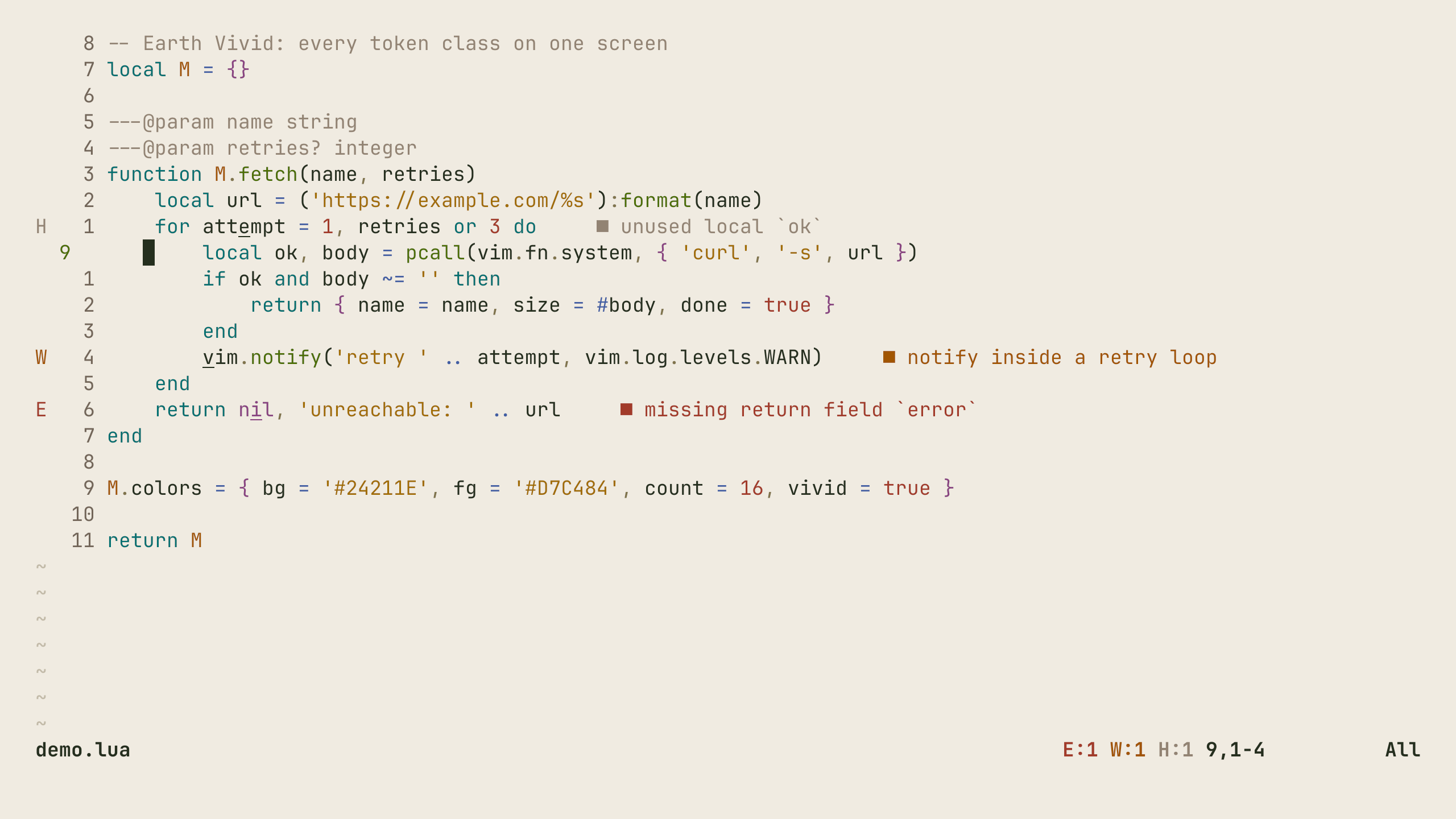
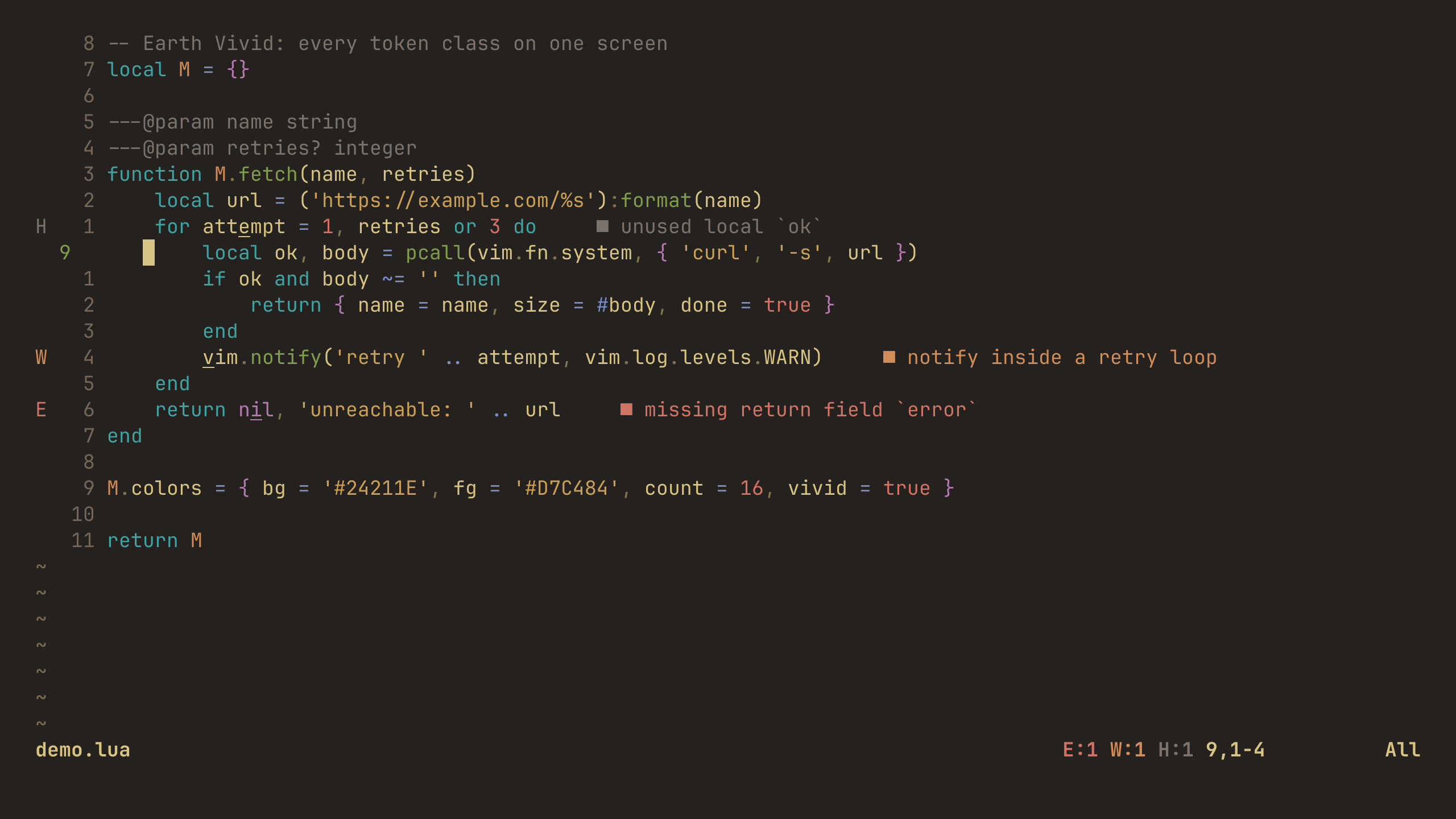
Install for Neovim
vim.pack.add { 'https://codeberg.org/abelnagy/earth-vivid' }
vim.cmd.colorscheme 'earth-vivid'
Needs Neovim 0.12+ for vim.pack; works with any plugin manager. Dark or light follows 'background'.
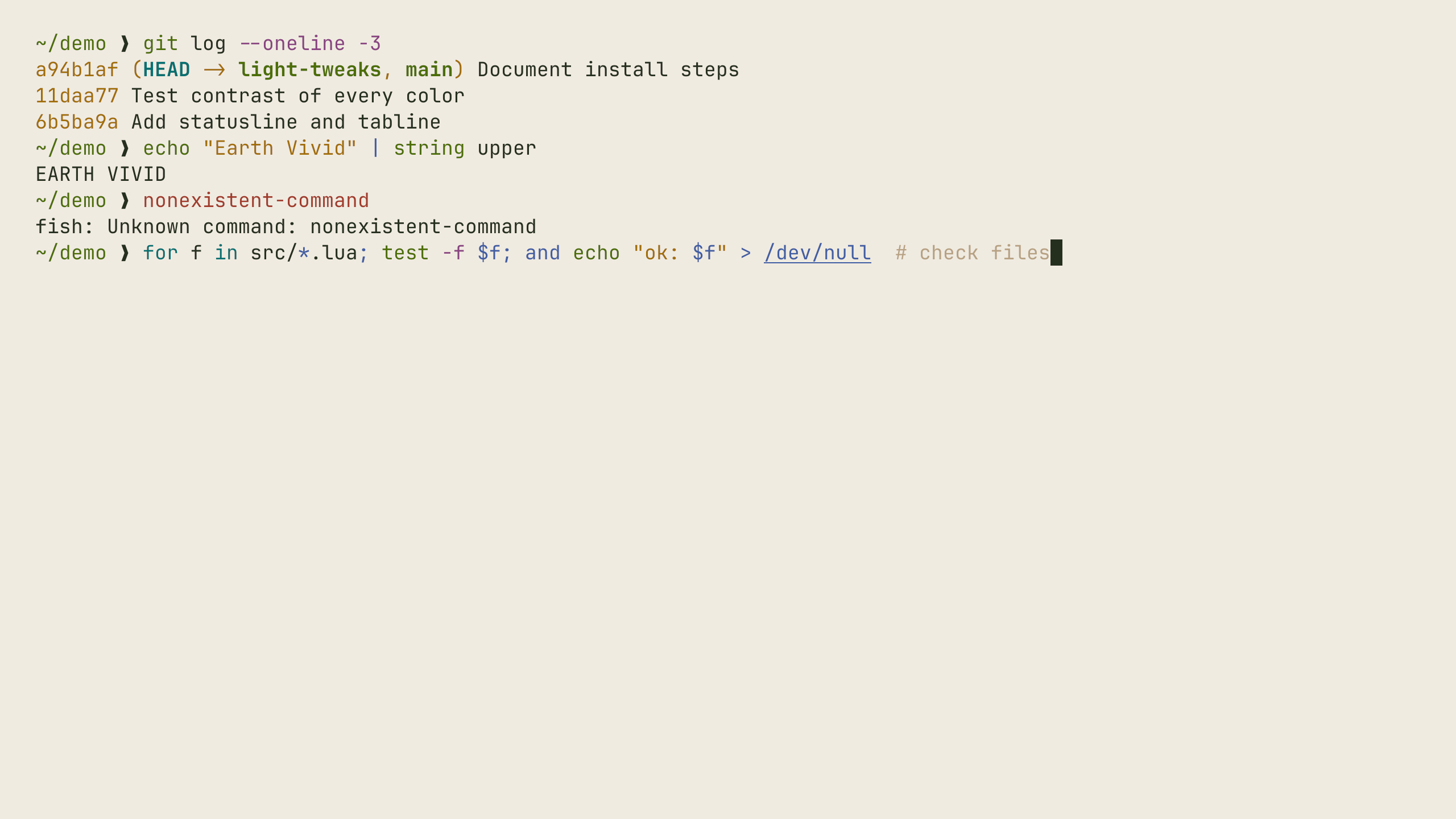
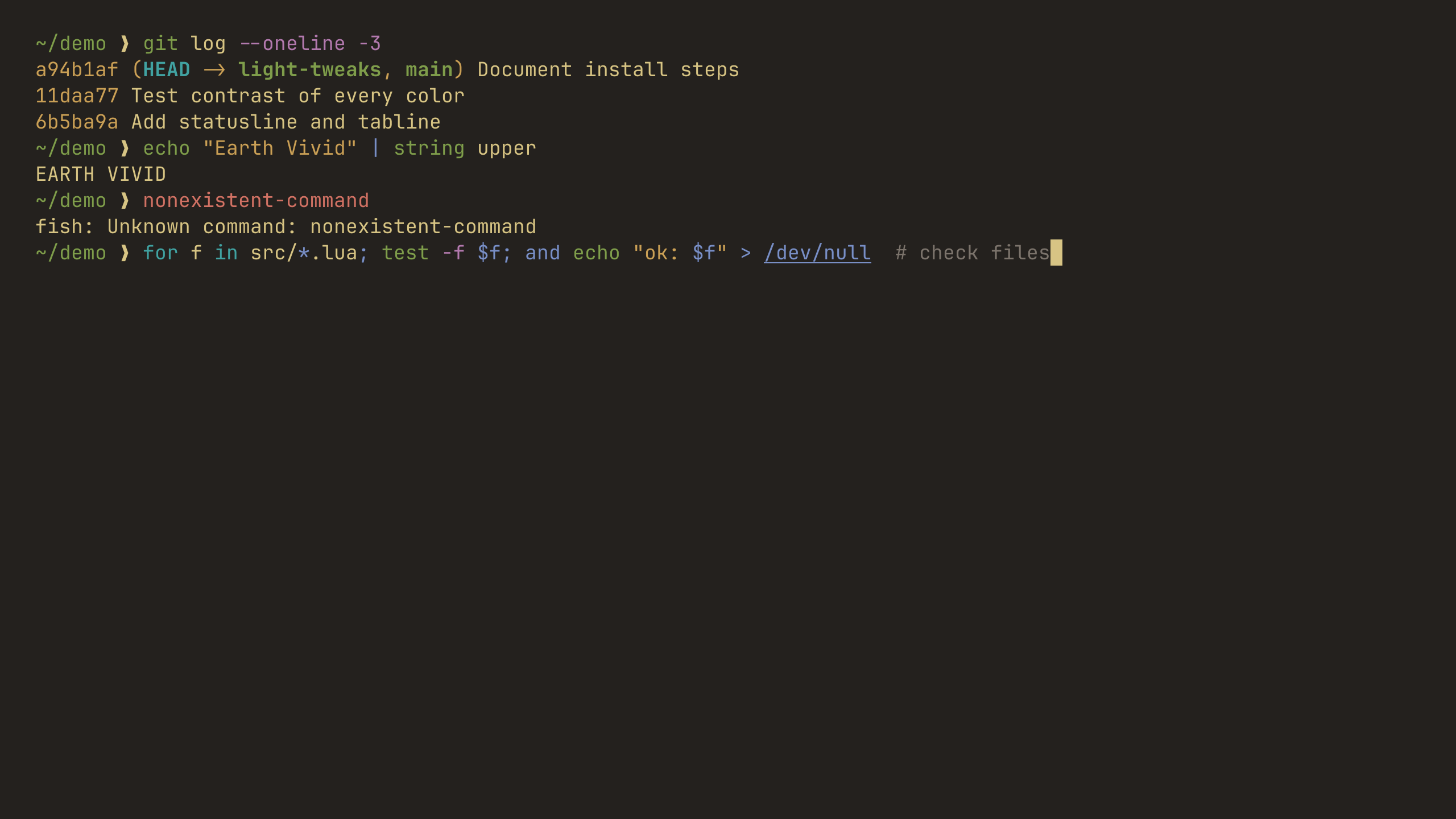
Install for fish
mkdir -p ~/.config/fish/themes
ln -s ~/src/earth-vivid/fish/earth-vivid.theme ~/.config/fish/themes/
echo 'fish_config theme choose earth-vivid' >> ~/.config/fish/conf.d/earth-vivid.fish
Uses ANSI colour names, so it switches with the terminal theme.
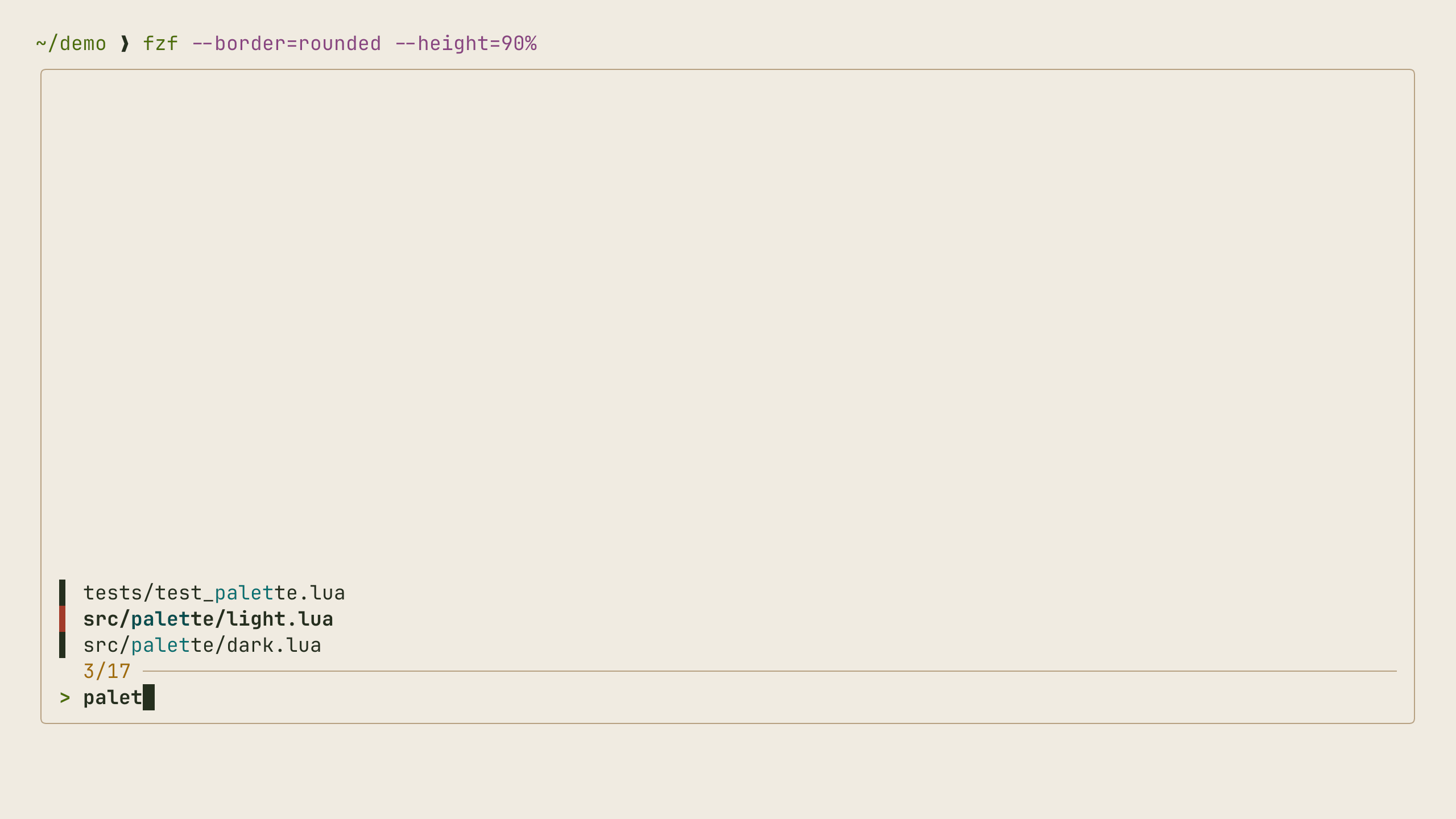
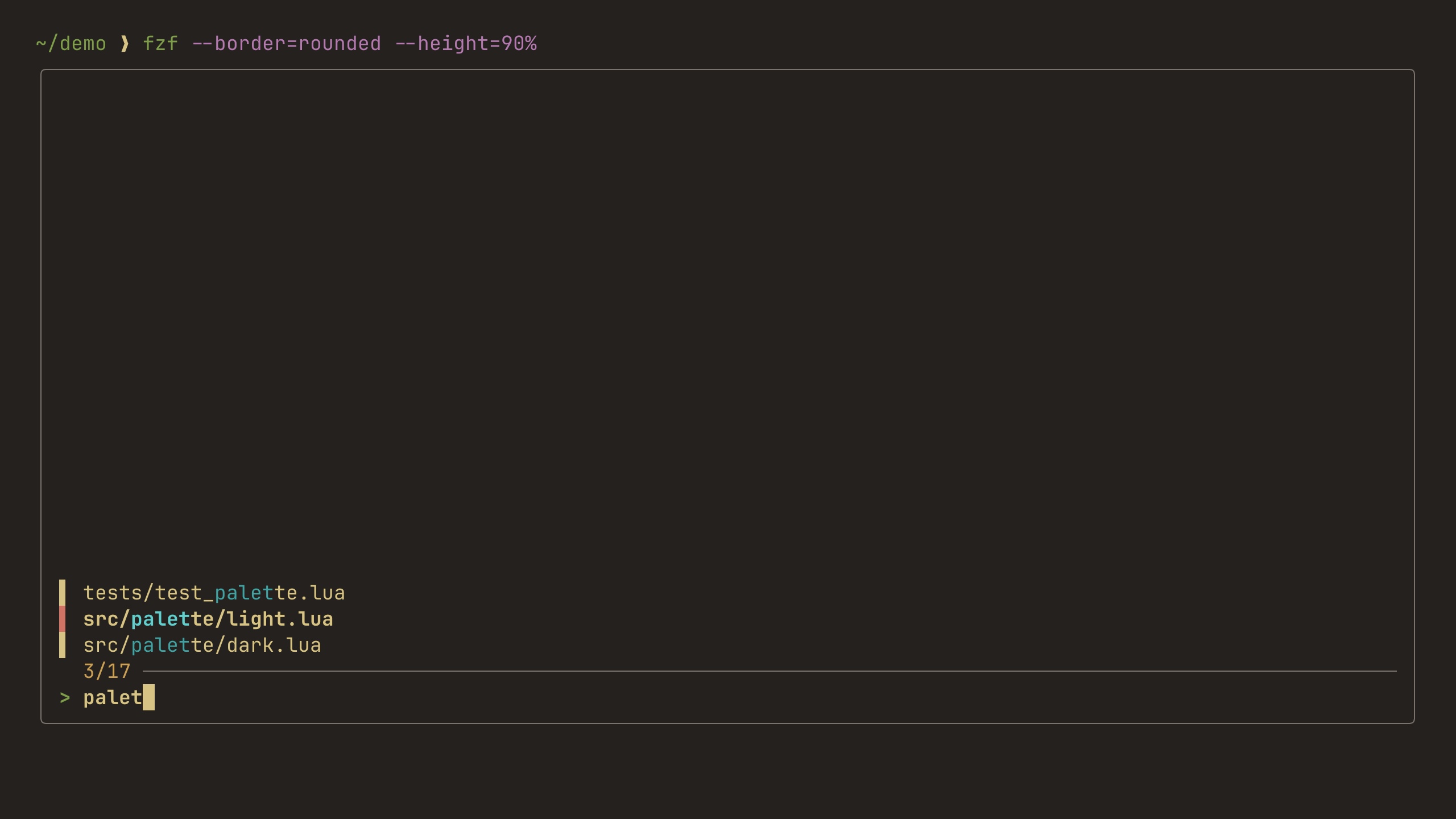
Install for fzf
For fzf in fish:
ln -s ~/src/earth-vivid/fzf/earth-vivid.fish ~/.config/fish/conf.d/earth-vivid-fzf.fishUses ANSI colour names, so it switches with the terminal theme.
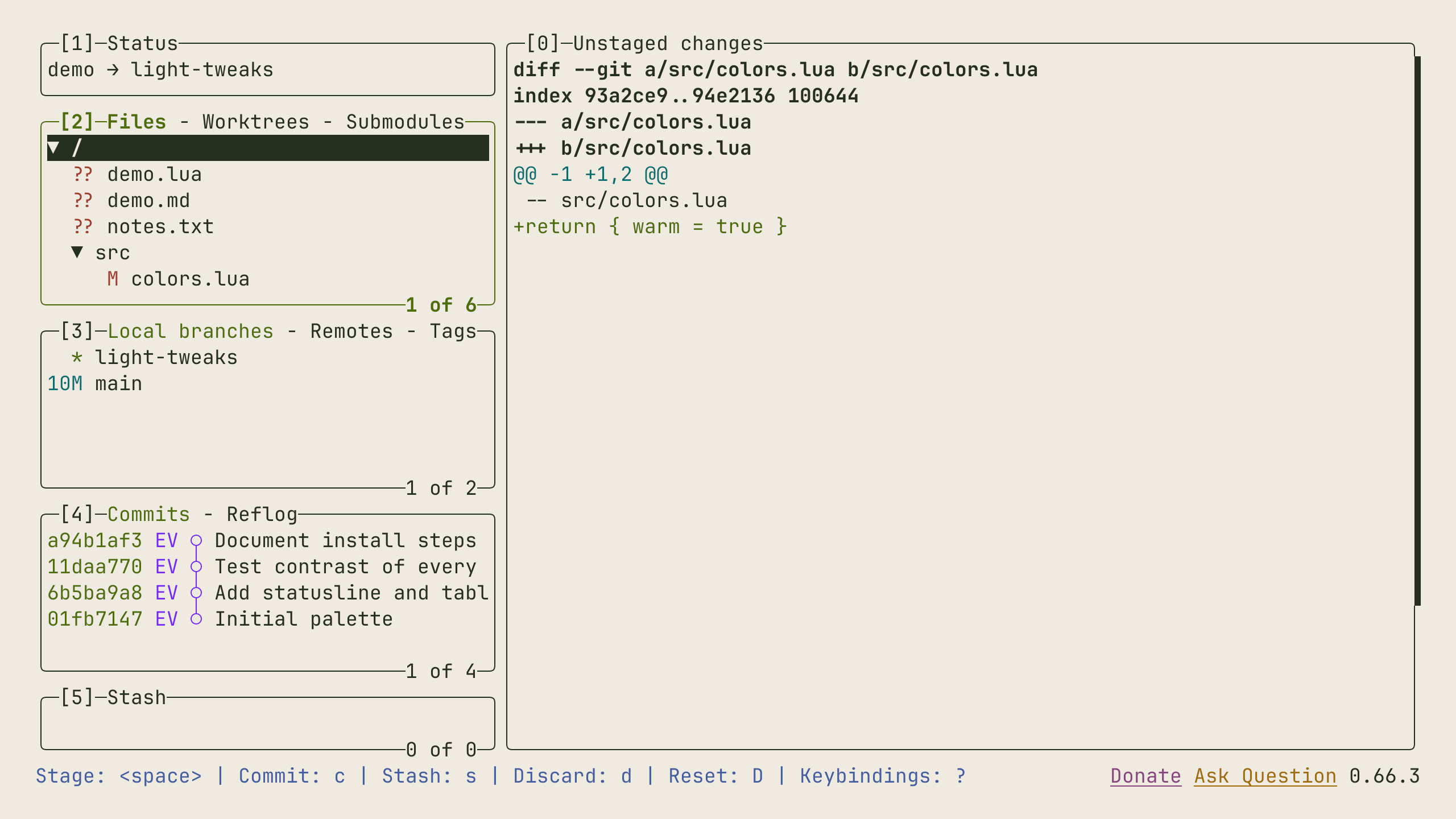
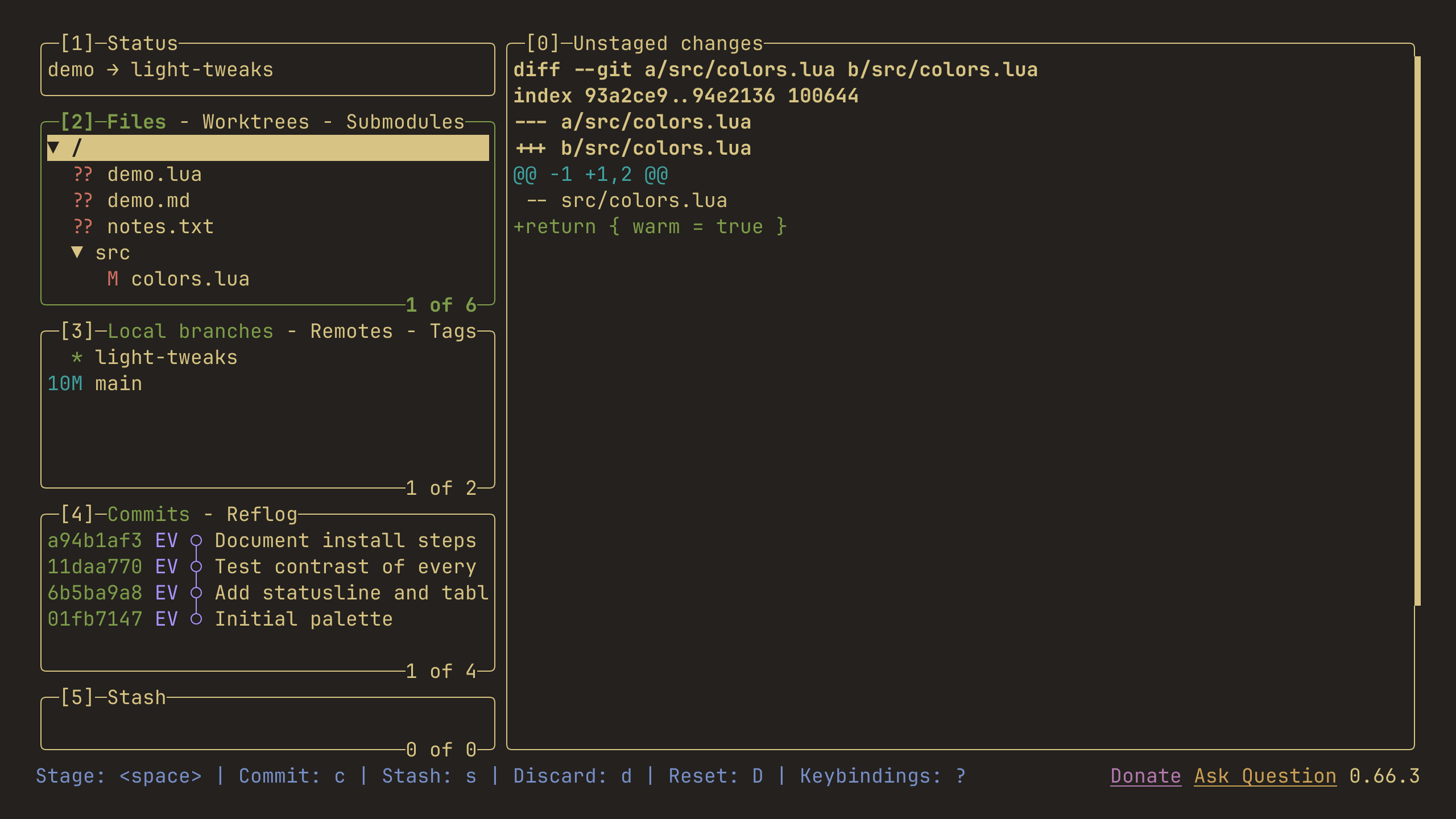
Install for lazygit
Layer the theme on top of your own config (fish):
set -gx LG_CONFIG_FILE "$HOME/.config/lazygit/config.yml,$HOME/src/earth-vivid/lazygit/earth-vivid.yml"Uses ANSI colour names, so it switches with the terminal theme.
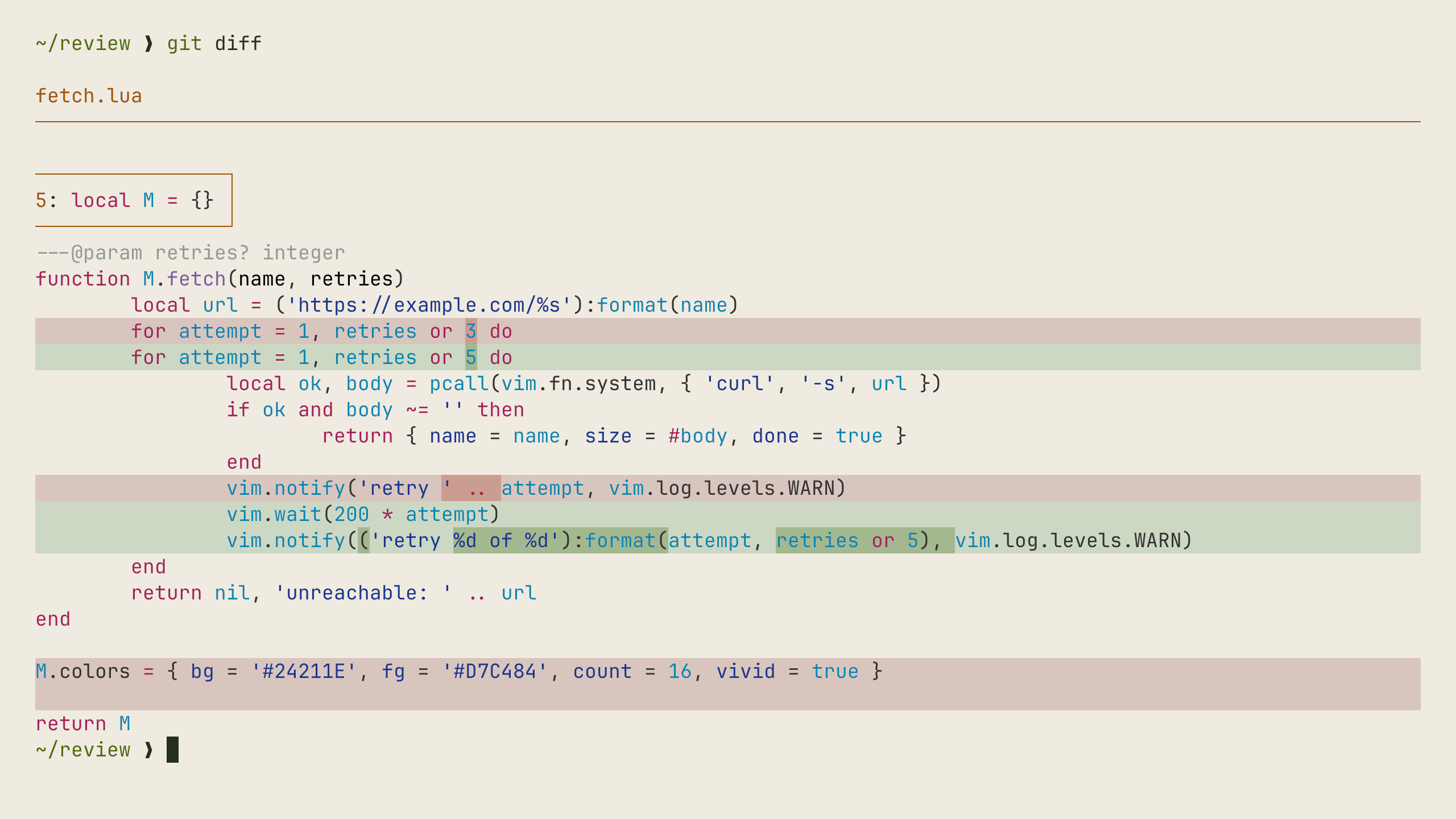
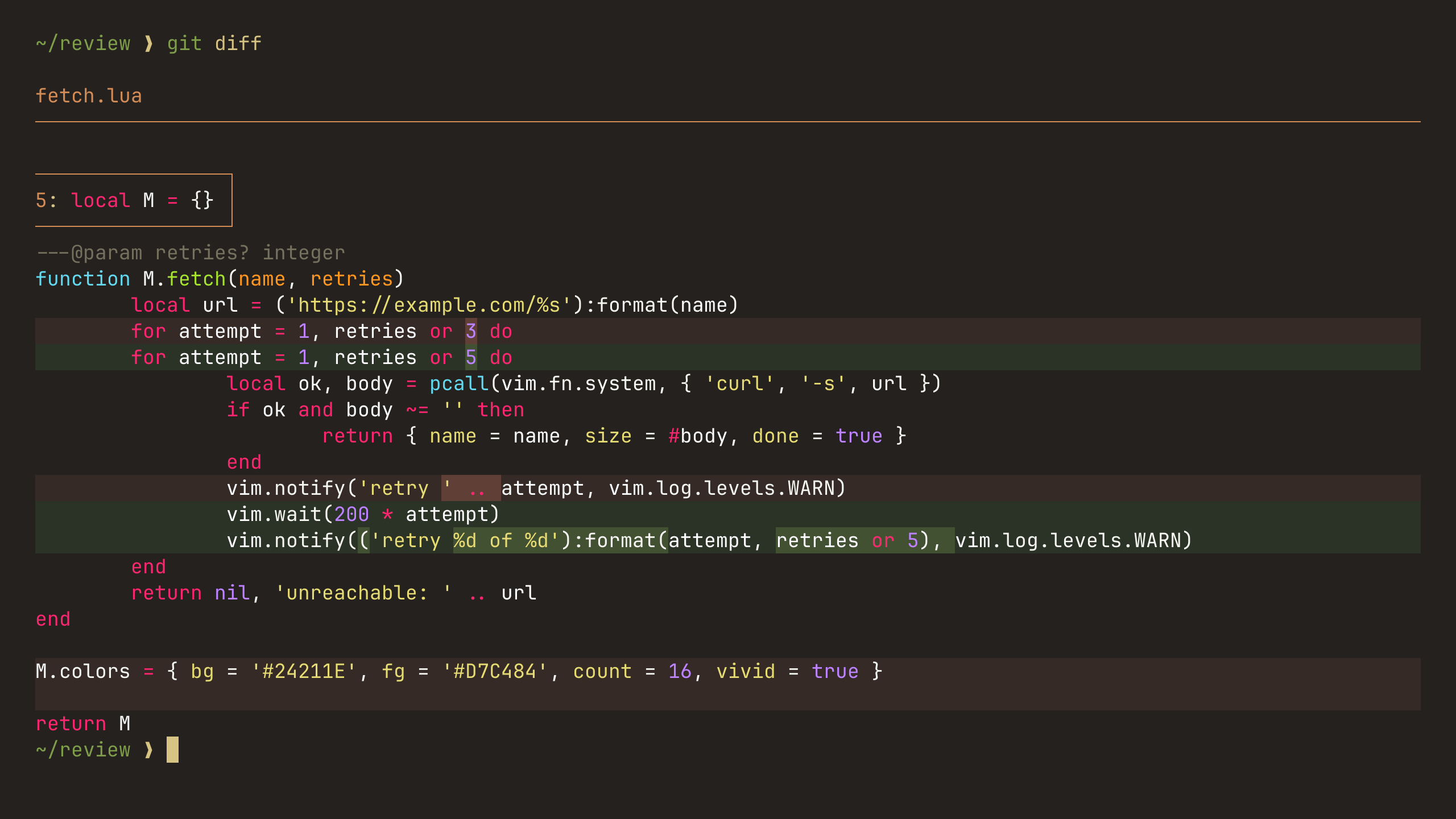
Install for delta
Git diffs in delta: Earth Vivid backgrounds for added and removed lines, the same colours as the Neovim diff, and orange file headers, hunk boxes and line numbers instead of delta's blue. Text keeps delta's syntax colours (with BAT_THEME=ansi those come from the terminal too).
The colours are hex, so they can't follow the terminal. delta/delta-ev wraps delta: each run it reads your desktop's light/dark setting (freedesktop portal color-scheme, the one Ghostty follows) and picks the matching colours. Without the portal it uses dark; force a mode with EARTH_VIVID_MODE=light.
ln -s ~/src/earth-vivid/delta/delta-ev ~/.local/bin/
git config --global include.path ~/src/earth-vivid/delta/earth-vivid.gitconfig
git config --global core.pager delta-ev
git config --global interactive.diffFilter 'delta-ev --color-only'
In lazygit's config.yml:
git:
  diffRenderers:
    - type: stdinFilter
      command: delta-ev --paging=never
Diffs already on screen keep their colours after a light/dark switch; run the command again.
Install for btop
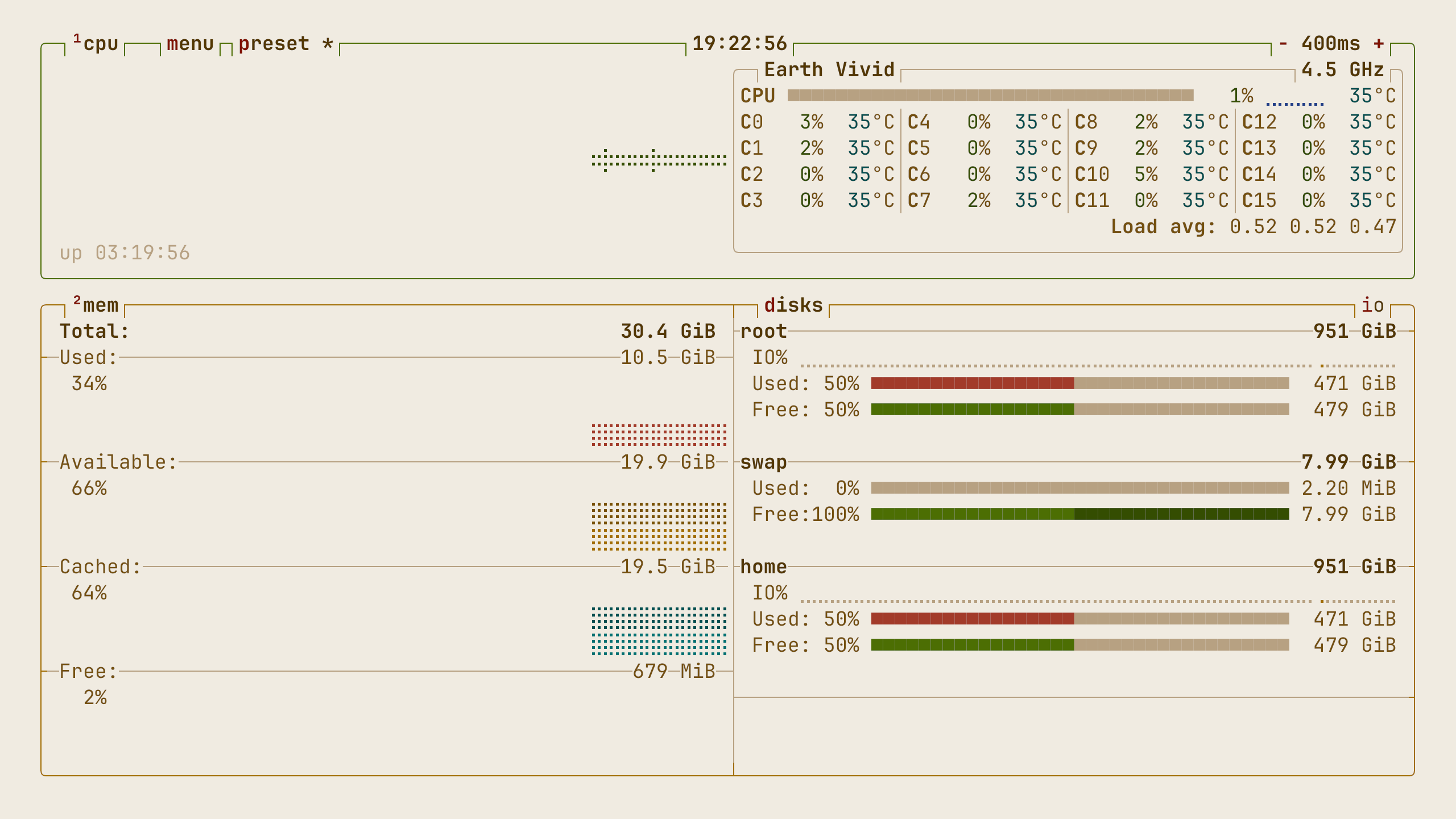
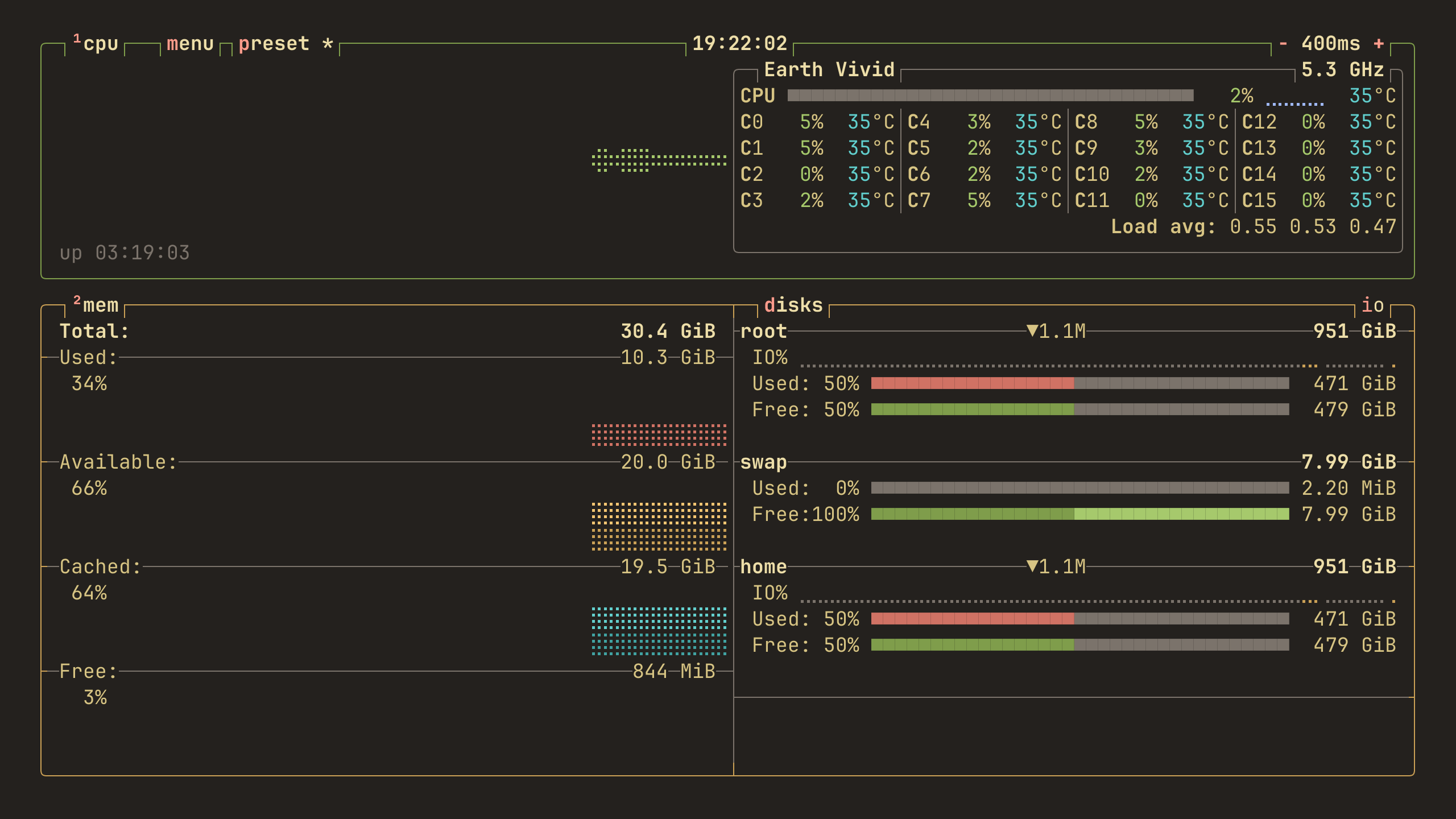
With the Earth Vivid terminal theme, use btop's built-in TTY theme: it draws with ANSI colours, follows the terminal's light/dark switch, and the palette was tuned on it. In ~/.config/btop/btop.conf:
color_theme = "TTY"
theme_background = false
Keep theme_background off: TTY fills the background with ANSI black, which stays dark in light mode.
Terminal without Earth Vivid? Use the theme files and pick earth-vivid-dark or earth-vivid-light in btop's options (btop can't switch by itself):
mkdir -p ~/.config/btop/themes
ln -s ~/src/earth-vivid/btop/*.theme ~/.config/btop/themes/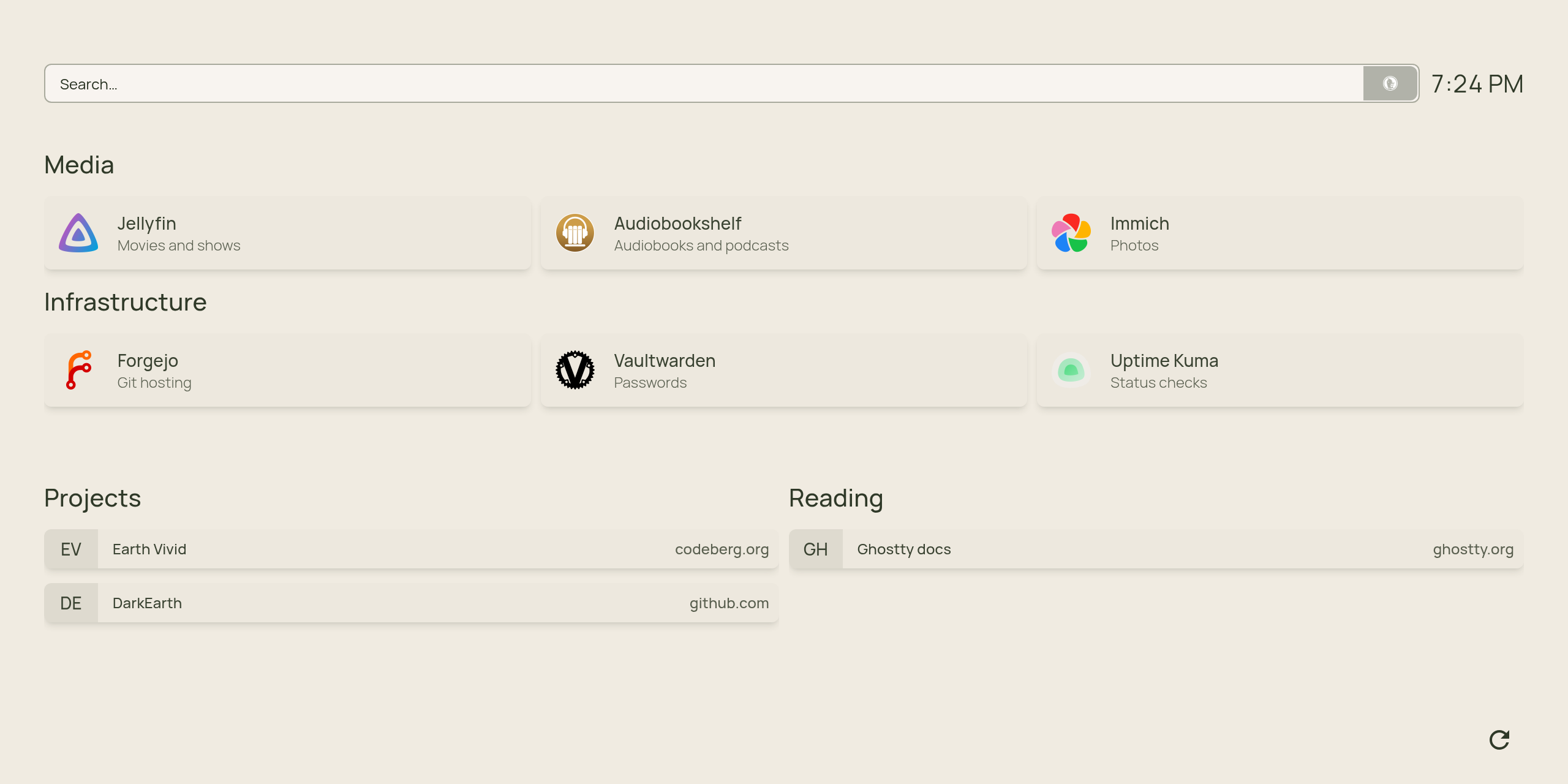
Install for Homepage
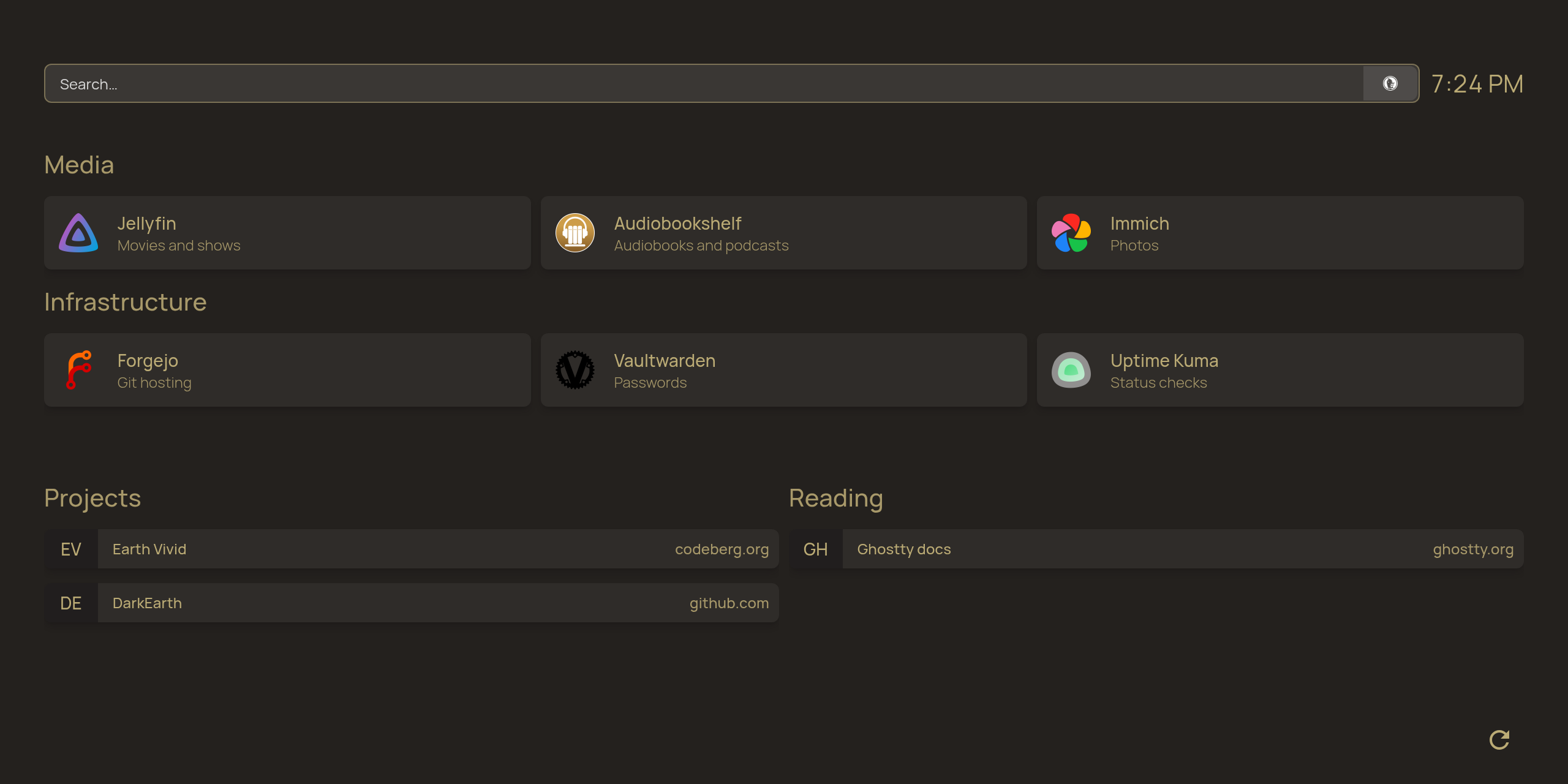
For Homepage v0.6.30+: copy homepage/custom.css into your Homepage config directory, next to settings.yaml, or append it to your own custom.css. It covers both modes and overrides whichever color palette is selected.
cat ~/src/earth-vivid/homepage/custom.css >> /path/to/homepage/config/custom.cssTo follow your system's light/dark mode, leave theme out of settings.yaml: Homepage picks the mode from your browser on first load, and its corner toggle switches it.
Install for Gatus
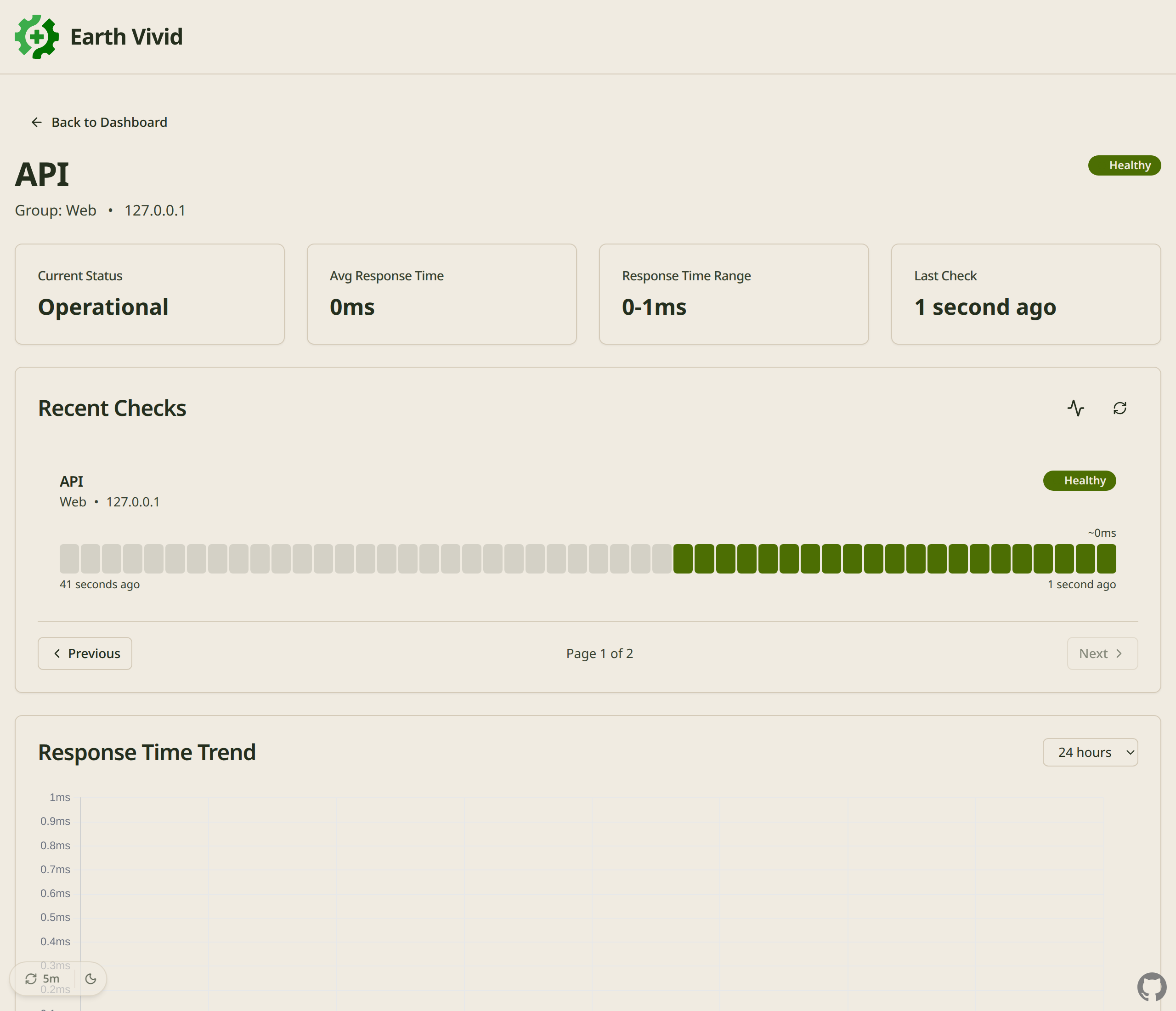
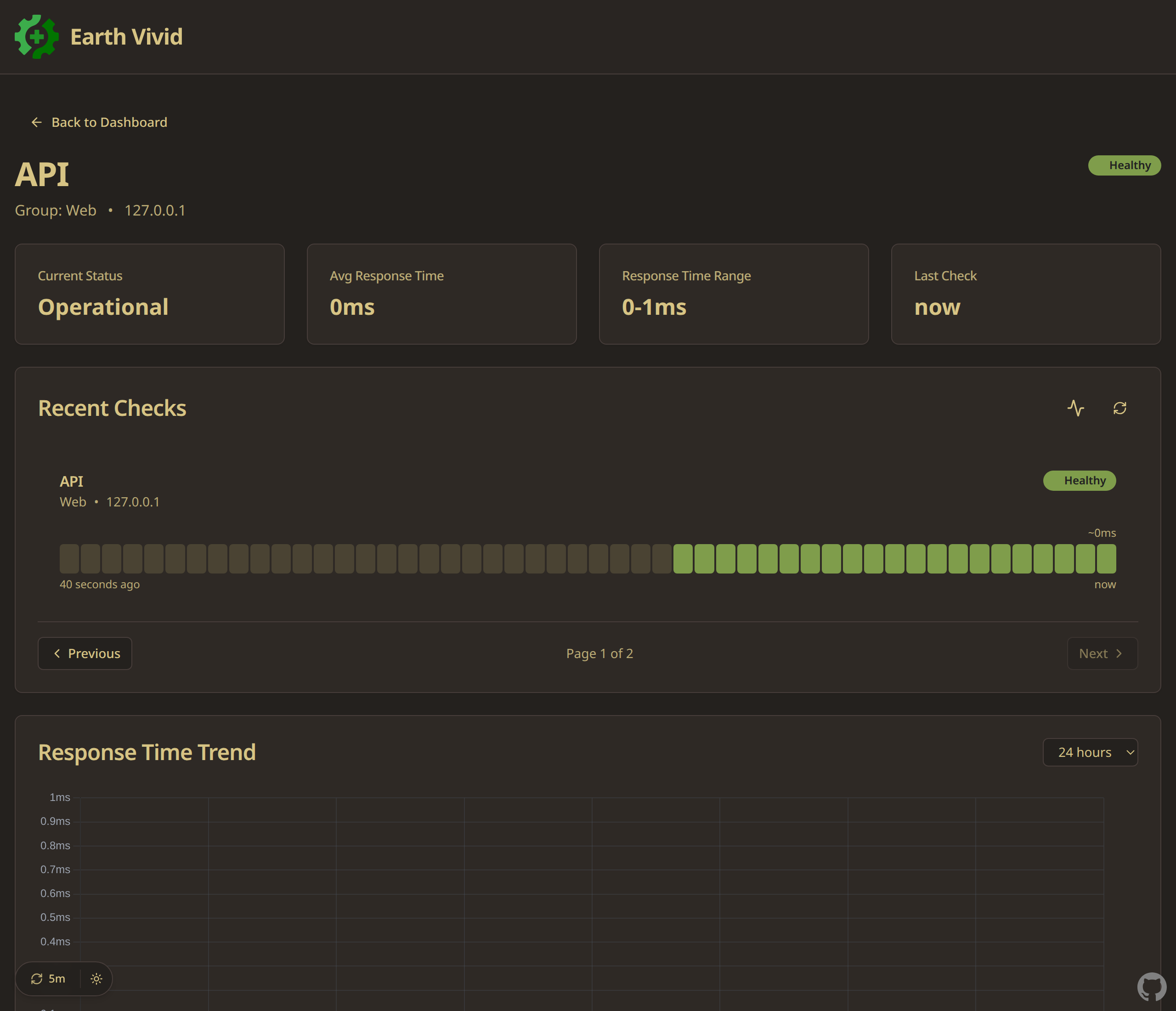
For Gatus (built against v5.38.0): paste gatus/custom.css into ui.custom-css, indented under it:
ui:
  dark-mode: false   # follow the browser's light/dark preference
  custom-css: |
    /* contents of gatus/custom.css */
Sets Gatus' colour variables for both modes and maps every Tailwind colour class Gatus uses to Earth Vivid: status bars and badges in the palette's green, red and yellow, blue accents in orange, grays as warm mixes of fg and bg.
With dark-mode: false Gatus follows your browser on first load; its corner toggle switches and remembers. The response-time chart is drawn by Gatus' JavaScript, so its line stays Gatus blue.
Where it started
Earth Vivid exists because of DarkEarth by Patrick Dewey. It has been my daily-driver theme since around the summer of 2025. I loved it, but there were things I wished were a little different, and apps I wished it covered, so I started tuning it to fit my taste and the tools I use.
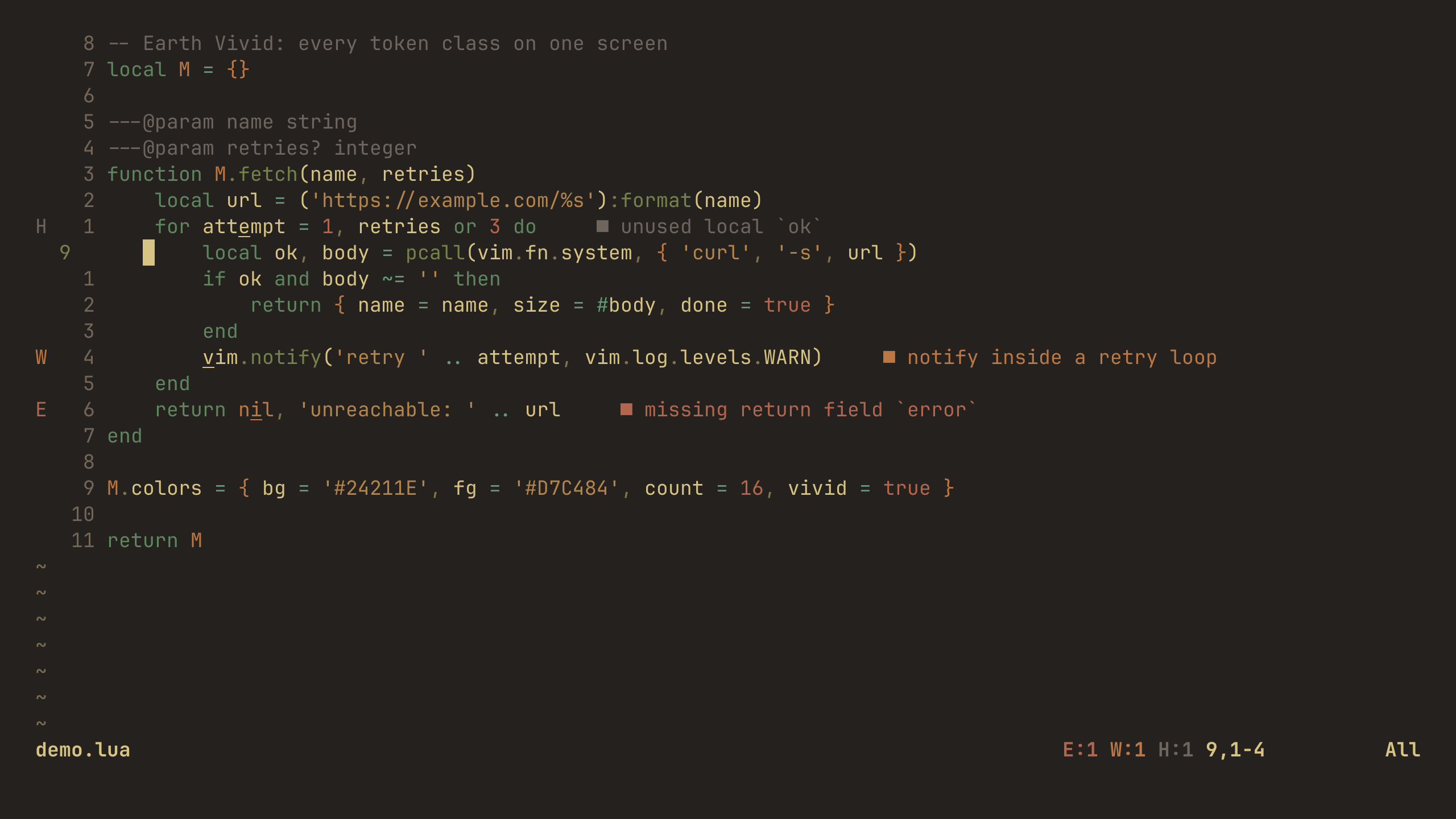
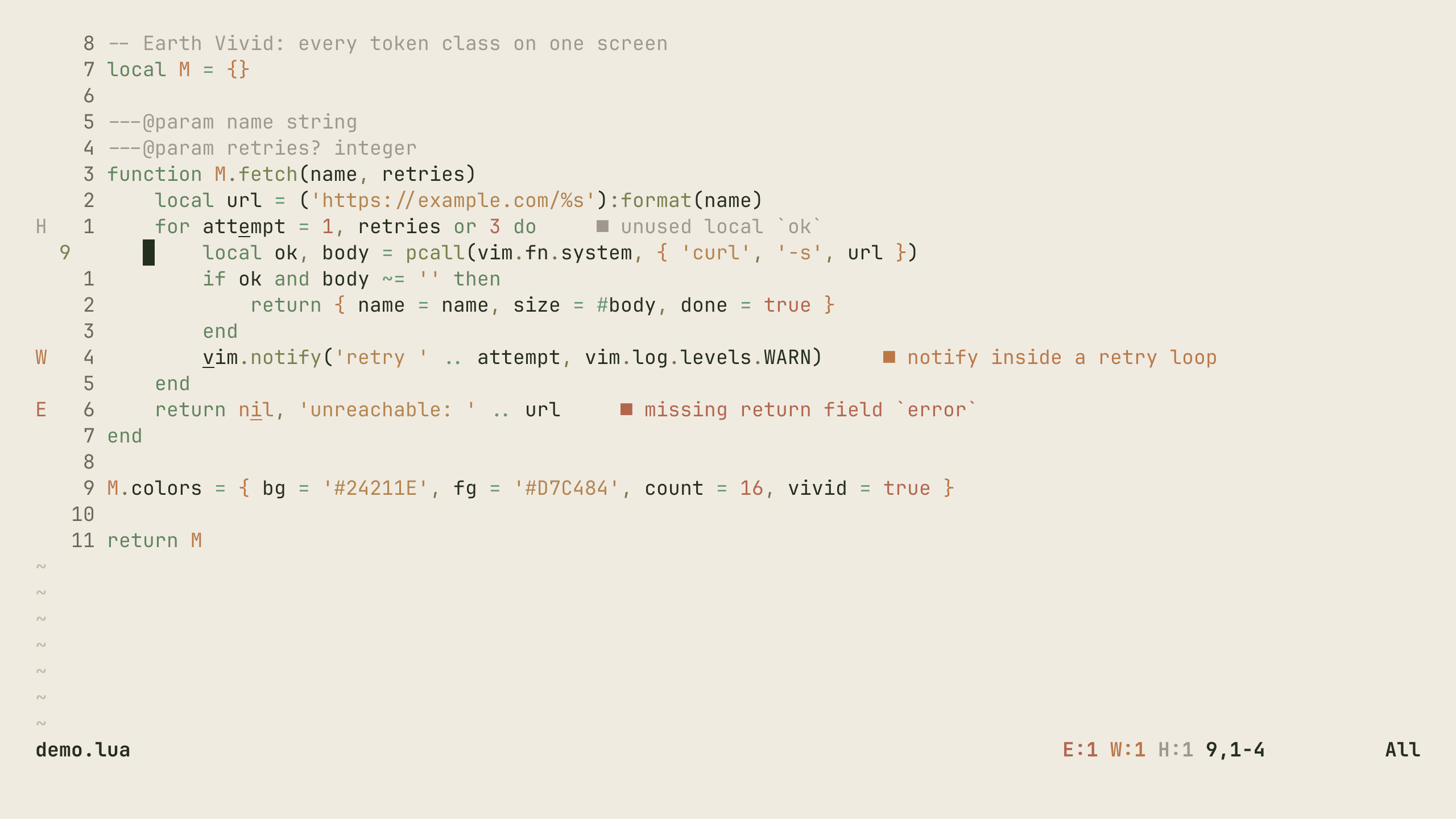
The background, foreground and earthy feel are still his. Thank you, Patrick. Here is DarkEarth next to Earth Vivid in Neovim:
Neighbours
Not quite your thing? These popular themes are the closest to it, most similar first. For a light theme, Zenbones (Neobones Light) comes closest.
- Melange
- Token
- Kanagawa (Wave)
- Birds of Paradise
- Gruvbox Material
- Zenbones (Kanagawabones, Zenwritten)
- Iceberg
- GitHub (Dark Dimmed)
- Kanso (Mist)
- Noctis (Minimus)
Make it yours
Every colour lives in one file, build.py. Change a colour, run the build, and every app's theme is regenerated to match. The README has the details: the colour rules, the tests and how the screenshots are taken.
python3 build.py